

Connect Media’s Bulk SMS API lets Kenyan businesses send SMS to customers on Kenyan mobile networks, including Safaricom and Airtel, from one integration. Whether you’re sending OTPs, delivery alerts, payment confirmations or marketing campaigns, the same API and dashboard handle all of it.
Bulk SMS pricing
Estimate your SMS cost
Rates by network
Need a custom or volume rate? Ask for a quote · Download full price list (CSV)
Prices in KES, per 160-character SMS (70 for Unicode/emoji). No minimum top-up. Credit never expires.
What you can build
- Transactional SMS — OTPs, order confirmations, payment receipts
- Two-way SMS — customer replies routed back to your system
- Bulk marketing sends with delivery reports per message
- SMS banking alerts and account notifications
- SMS-based voting and polling for events and campaigns
How it works
Sign up for a Connect Media dashboard account, generate an API key, and start sending with a single HTTP request. Full request/response examples, authentication and error codes are in the developer documentation.
Why Connect Media
A self-service dashboard means you can manage sender IDs, check delivery reports and top up credit without waiting on a sales call. The API is built for the Kenyan market specifically, so network routing and sender ID rules are handled for you.
Other channels
Need more than SMS? Connect Media also runs USSD and IVR for the same customer base — see how they compare, or read more on the Connect Media homepage.
Get started
Create a free account on the Connect Media dashboard (it comes with 🎁 30 free SMS for testing), or email info@connectmedia.co.ke with questions about volume pricing or a specific use case.
Sending to Safaricom numbers
Connect Media delivers to Safaricom, Airtel and Telkom from one account, with no minimum top-up and credit that never expires. See Safaricom bulk SMS prices, sender IDs and delivery tips.
Related: Bulk SMS API · Airtel bulk SMS · SMS cost calculator · Comparing providers
Features: Scheduled SMS · Delivery reports · Reminders · Surveys · Voice SMS
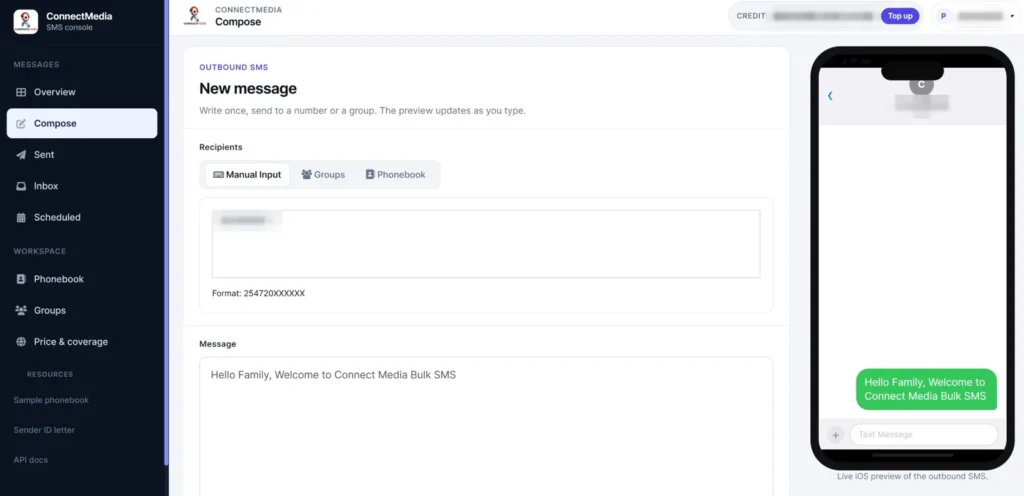
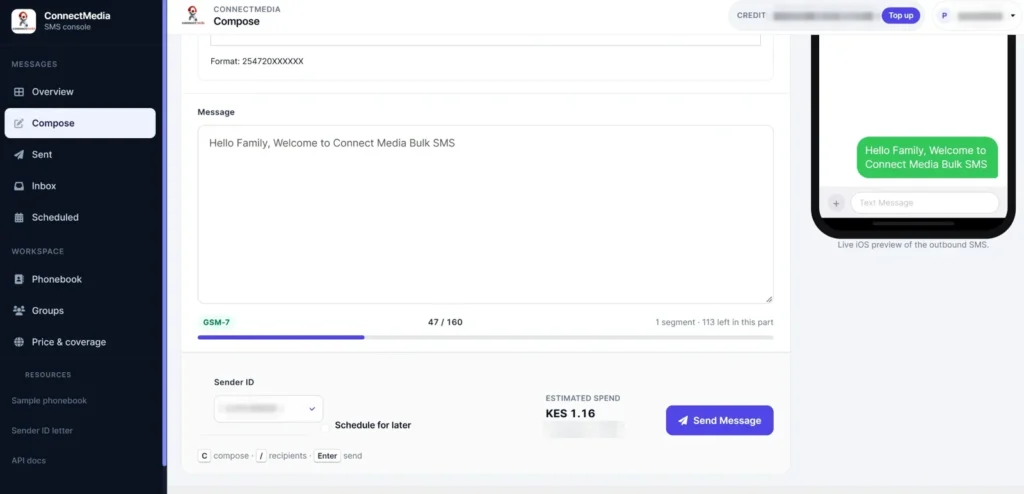
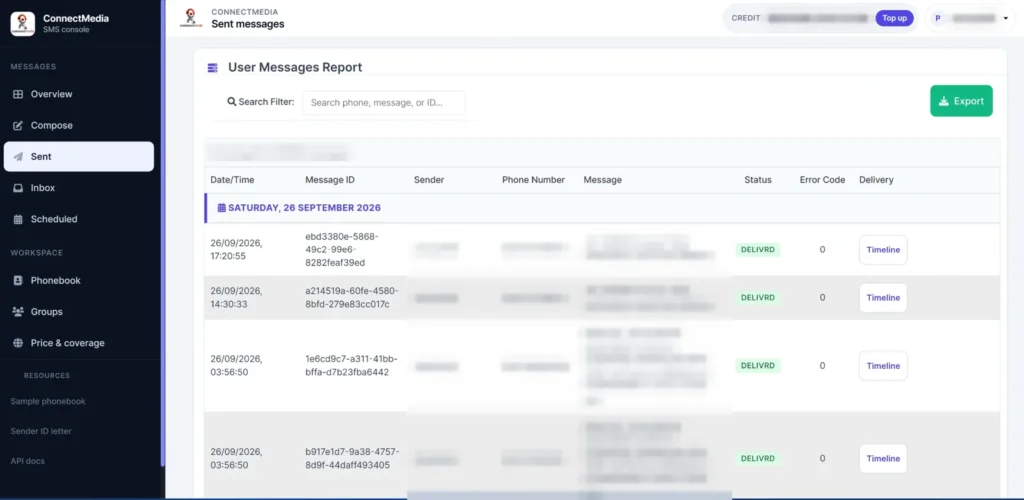
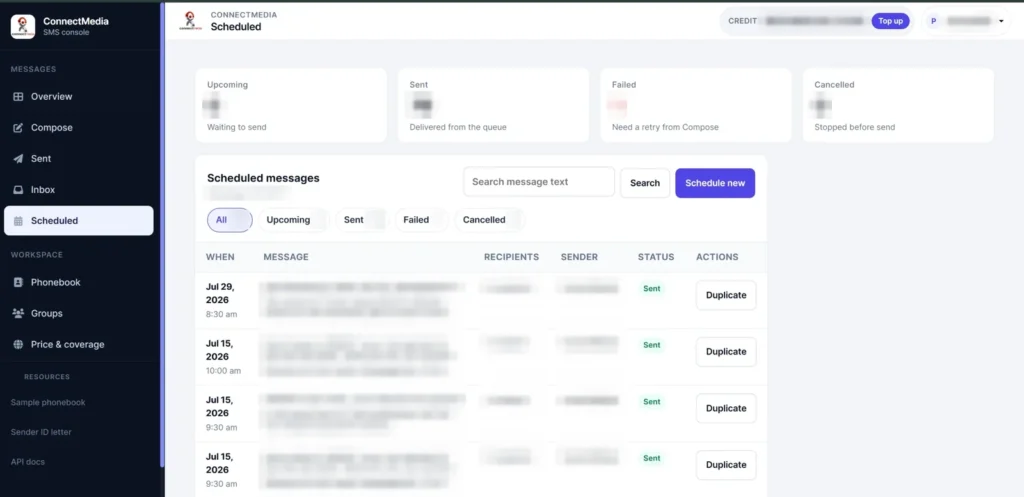
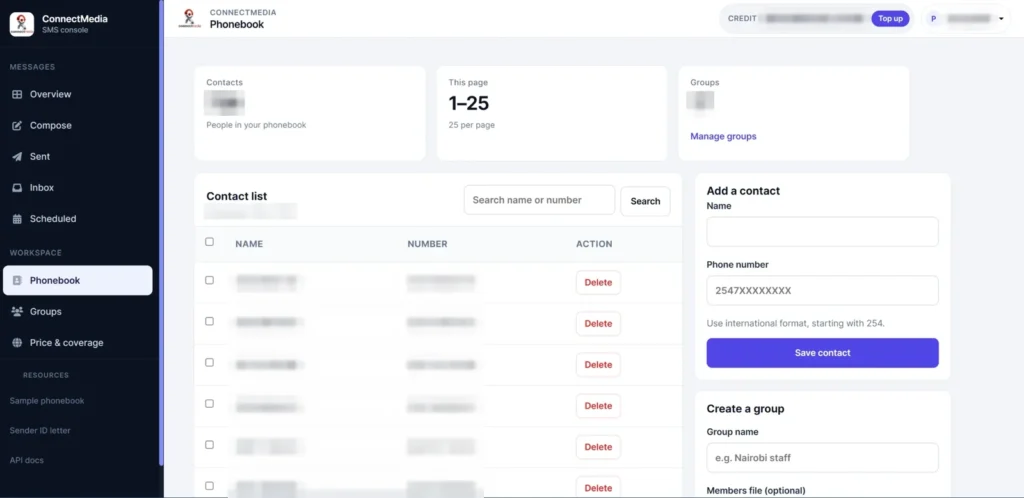
Inside the dashboard
Everything below is in your account from day one. Customer details are blurred.
Send under your own brand name
Register a branded sender ID: KES 6,500 per network, one-time.
Approval takes 5–7 working days, sometimes sooner. Pay by M-Pesa Paybill 247247.
Frequently asked questions
Which networks can I send bulk SMS to in Kenya?
Messages reach subscribers on Kenyan mobile networks, including Safaricom and Airtel, through a single Connect Media API integration.
Can customers reply to my messages?
Yes. Two-way SMS routes customer replies back to your system through the API and the dashboard inbox.
Do I get delivery reports?
Yes. Every message has a delivery status you can check in the dashboard or pull through the API.
How do I start sending?
Create an account on the Connect Media dashboard, generate an API key, and follow the developer documentation to send your first message.